Who does use Chaos Vantage?
Chaos Vantage is a real-time ray tracing application primarily used by professionals in architecture to create photorealistic visualizations of building designs and exterior spaces. Its most powerful feature is to allow very quickly iterrations of pre-visualizations of concepts.
Additionally, Vantage is used by 3D artists for to visualize:
- Product Design: Industrial designers utilize Chaos Vantage to render high-quality images of product concepts and prototypes.
- Lighting Design: Lighting designers use the software to simulate and visualize complex lighting scenarios in various environments.
- Education: Some educational institutions use Chaos Vantage in their 3D design and visualization courses.
- Virtual Reality (Vantage 2.5 update): VR developers use it to create immersive, photorealistic environments for virtual reality experiences.
Chaos Vantage is specifically designed for real-time exploration of 3D scenes created in V-Ray. It’s not typically used in product design, automotive design, visual effects, game development. These fields generally use other specialized software more suited to their specific needs.
But can interior designers use Chaos Vantage to render interior projects?
In article, we are going to explain how Vantage can be used by interior designers and 3D artists to produce good quality interior renderings with this GPU render engine.
The key feature of Chaos Vantage is its ability to provide real-time, ray-traced rendering of large, complex 3D scenes, which is particularly valuable in architectural and interior design visualization.

George is a seasoned interior designer and property marketing strategist with over 13 years of experience. He specializes in transforming properties into visually stunning spaces, helping clients recognize the potential and beauty in each property. With an impressive international client base of exciting projects throughout Europe and America.
Choosing the right rendering software for interior design can be challenging, especially with so many options available. Lumion and Chaos Vantage are two popular choices, each with its own strengths and weaknesses.
Chaos Vantage 2.5, is ideal for interior design projects, to visualize room layouts and furniture arrangements in high-quality, real-time renderings fast, especially in combination with Chaos Corona 12.
If ease of use is a priority, Lumion may be the better option. Its user-friendly interface is designed to accommodate architects and designers without extensive 3D rendering expertise.
Chaos Vantage offers impressive real-time ray tracing capabilities, making it an excellent choice for high-quality renders. It excels in providing realistic lighting and reflections, which can significantly enhance the visual appeal of interior spaces. While it might require a bit more technical know-how, the results can be well worth the effort.
The best app for interiors will depend on specific needs and abilities. For those who prioritize speed and simplicity, Lumion is likely the better fit. For those who seek top-notch realism and have the skills to handle it, Chaos Vantage could be the superior choice.
Overview of Chaos Vantage and Lumion
Chaos Vantage and Lumion are powerful tools for rendering architectural interiors. They both offer unique features and various levels of compatibility with other software applications.
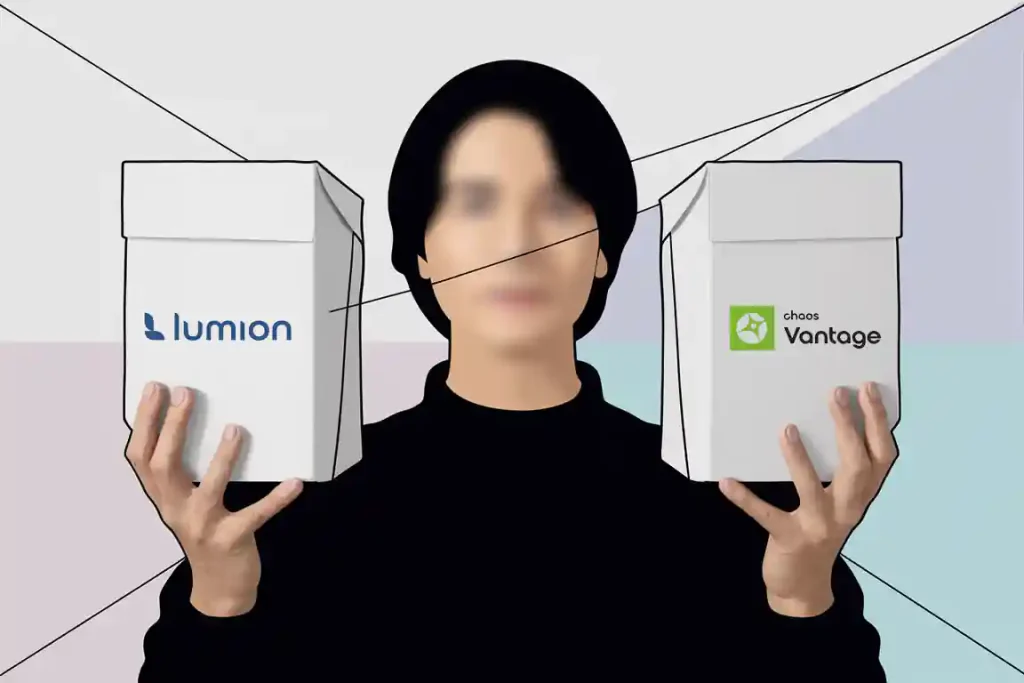
Chaos Vantage (after ver. 2.5) is known for its real-time ray-tracing capabilities, which makes rendering almost instantaneous. This speed is particularly useful for large and complex scenes, where traditional rendering might take significantly longer. Vantage integrates seamlessly with V-Ray and Corona 12, making it ideal for users already in the Chaos ecosystem.
Lumion excels in its user-friendliness and ease of use. It offers a vast library of pre-made assets and materials, allowing designers to quickly drag and drop objects into their scenes. Lumion also provides features like animated phasing, object transformations, and realistic skies, which help in creating lifelike interior visualizations.
Chaos Vantage supports .vrscene files from V-Ray Next, V-Ray 5, V-Ray 6, and Corona 12. This compatibility extends to major design software like 3ds Max, SketchUp, Rhino, Revit, and Cinema 4D. Users can benefit from a seamless workflow by exporting their scenes from these applications directly into Vantage.
Lumion, on the other hand, supports a wide range of design tools including Revit, SketchUp, Rhino, ArchiCAD, 3ds Max, Blender, Vectorworks, AutoCAD, and Maya. This broad compatibility makes it versatile and easy to integrate into various design pipelines. Lumion’s live sync feature allows for real-time updates between the software and supported design applications.
Making the Choice
Choosing between Chaos Vantage and Lumion for interior design projects depends on various factors.
Ease of Use
Lumion has user-friendly interface and it is designed for architects mainly, who has to quickly put up a model with minimal 3D rendering. On the other hand, Chaos Vantage is both useful to architects and interior designer, it is geared more towards users who have some familiarity with rendering software and prefer tweaking a bit more for the benefit of better visuals.
Rendering Speed
Rendering speeds depends on the PC specifications. For example a Katana 15, can run Chaos Vantage without any hickups with its RTX 4070. Fast rendering times depend especially on GPU. From our tests at TALLBOX we managed to get a 4K interior image rendered in Chaos Vantage for only 0.19 minutes with an RTX 3080 and on RTX 4090 it took under 5 minutes. Lumion also offers quick rendering but may not be as speedy as Vantage.
Visual Quality
Both Lumion and Vantage offer high-quality renders, but different strengths:
- Lumion: Is better with large scale exterior and landscape visuals with extensive materials and objects.
- Chaos Vantage: Strong with real-time ray tracing, creating lifelike lighting and reflections all present in interiors, and can run at the same time large exterior scenes.

Community and Support
Lumion has a larger user community and more extensive support resources due to its longer presence in the market. Chaos Vantage is newer and may have less extensive community resources.
Platform Integration
Consider what other software you are using. Lumion integrates well with CAD software like SketchUp and Revit. Chaos Vantage also integrates well with other Chaos Group products such as V-Ray.
Pricing
Lumion is significantly more expensive than Chaos Vantage, especially for its Pro version. The price difference ranges from 50% more for the Standard monthly license to over 158% more for the Pro yearly license, not including taxes. The perpetual license model of Lumion might be beneficial for some users, but it’s important to consider the potential costs of future upgrades.
Why Chaos Vantage is better for Inteirors?
Chaos Vantage offers several features that make it particularly useful for interior designers as real-time ray tracing allows interior designers to explore and visualize their designs in photorealistic quality instantly, without waiting for long render times.
- Virtual reality support: Interior designers can immerse themselves and their clients in the designed spaces using VR headsets, providing a more realistic sense of scale and spatial relationships.
- Scene states: This feature lets designers create and easily switch between different light setups, materials, and post-processing looks, which is crucial for showcasing various design options to clients.
- Light creation and placement: The ability to create and adjust various types of lights directly in Vantage allows for quick iterations on lighting design, an essential aspect of interior spaces.
- Material blending: Support for VRayBlendMtl enables designers to create complex, layered materials that accurately represent real-world surfaces found in interiors.
- Displacement: This feature allows for the creation of intricate geometric details from textures, useful for representing textured walls, carpets, or decorative elements.
- HDR monitor support: This ensures that colors and lighting are represented accurately, which is crucial for interior design work.
- Render elements and multi-matte: These features provide more control in post-production, allowing designers to fine-tune their final visualizations.
- Scattering and animated vegetation: These tools can be used to add realistic plants and greenery to interior spaces, enhancing the overall design.
These features collectively enable interior designers to create, explore, and present their designs with a high degree of realism and flexibility, making Chaos Vantage a powerful tool for their work.
User Interface Design
Chaos Vantage offers a straightforward and clean interface. The design prioritizes performance and ease of use, making it accessible even for those new to real-time rendering. The UI helps users focus on rendering without getting bogged down by unnecessary complexity.

Lumion’s interface is designed to be intuitive, with a focus on simplicity and speed. It uses drag-and-drop functionality extensively, which helps users without extensive technical knowledge to create detailed scenes quickly. The visual and interactive nature of the interface makes it easy for users to see immediate changes and adjustments in their designs.

Performance and System Requirements
When deciding between Chaos Vantage and Lumion for interior design projects, considering the performance and system requirements is crucial. Each software has specific hardware needs and ways to optimize workflow for smoother operation.
Hardware Utilization
Operating System:
- Vantage: Windows 10 with Update 2004 or newer
- Lumion: Up-to-date Windows 10 64-bit (version 2004) or newer Both have similar OS requirements.
GPU:
- Vantage: DXR compatible NVIDIA RTX series or AMD RX 6000 series or newer
- Lumion: GPU scoring a G3DMark of 14,000 or higher (e.g., NVIDIA GeForce RTX 3060, AMD Radeon RX 6700 XT or better) Vantage seems to require more recent GPU models, especially for NVIDIA.
GPU Memory:
- Vantage: Not specified, but system RAM should equal or exceed GPU memory
- Lumion: 10 GB or more Lumion is more specific about GPU memory requirements.
System RAM:
- Vantage: Minimum 8GB, should equal or exceed GPU memory
- Lumion: 32 GB or more Lumion requires significantly more system RAM.
CPU:
- Vantage: Not specified
- Lumion: Intel/AMD Processor scoring a single thread CPUMark of 2,600 or higher Lumion provides more specific CPU requirements.
Storage:
- Vantage: Not specified
- Lumion: SATA3 SSD or NVME m.2 storage, minimum 105 GB free space Lumion has more specific storage requirements.
Screen Resolution:
- Vantage: Not specified
- Lumion: 1920 x 1080 pixels Lumion specifies a minimum resolution.
Internet Connection:
- Vantage: Not mentioned
- Lumion: Required Lumion explicitly requires an internet connection.
Power Supply:
- Vantage: Not mentioned
- Lumion: Recommends minimum 80+ gold-rated with sufficient wattage
Optimizing Workflow
Optimizing workflow can significantly boost performance in both applications. In Lumion, reducing the Editor Resolution to a lower percentage and adjusting the Editor Quality in Settings can increase the framerate by lowering the rendering load.
Chaos Vantage benefits from efficient real-time ray tracing, allowing users to see changes instantly without long rendering times. When working on complex designs, keeping the viewport window smaller and ensuring the monitor resolution is not overly high can help maintain better performance.
Both software applications provide ways to tailor settings and hardware usage to ensure seamless and efficient design experiences for interior projects.
Pricing and Cost Considerations
When it comes to choosing between Chaos Vantage and Lumion for interior design, pricing and cost considerations are key factors. Both software options have their own licensing models and total costs that can affect a decision.
Licensing and Upgrade
Chaos Vantage offers both monthly and yearly licensing models. Fees vary from $50 per 31 days or $658 for a 12 month period. This gives users flexibility based on their budget and project needs. Licensing can be adapted to short-term projects or extensive usage. Chaos provides frequent updates, which often come at no extra cost within the valid license period.
Lumion, on the other hand, uses a perpetual licensing model for its standard and pro versions. This means a one-time purchase is required, but major upgrades can incur additional costs. Users need to assess how often they might need those updates to stay current with new features. For the Lumion Standard license monthly you will have to pay around $75 or $900 yearly and for the Pro version respectively goes up to $140 per 31 days and $1700 for a year, on top of that TAX must be added.
Rendering Capabilities
Chaos Vantage and Lumion both excel in rendering for interior design, but they have different strengths. Chaos Vantage stands out with its real-time raytracing, while Lumion offers ease of use and high-quality photo-realistic images.

Quality and Realism
Chaos Vantage employs real-time raytracing and path-tracing, which significantly enhances the realism of the renderings. These advanced techniques provide accurate light, shadow, and reflections, closely mimicking real-world physics. This makes the final images highly detailed and true to life.
Lumion delivers impressive photo-realistic images by focusing on accessible and intuitive tools. It is particularly known for its rich library of textures and materials, which help designers achieve high quality renderings without extensive expertise. Lumion’s results are visually stunning, making it popular for presentations and client demonstrations.

Speed and Real-Time Rendering
Chaos Vantage is engineered for real-time rendering, allowing users to see changes instantly. This feature is particularly beneficial for interior designers who need to make quick adjustments and see immediate results. The rendering times are greatly reduced, which can streamline workflows and improve productivity.
Lumion also supports real-time previews but may take longer to update files during the rendering process. Although not as fast as Vantage, Lumion’s performance is still respectable. It enables designers to work on medium to large projects with reasonable efficiency, making it suitable for various interior design needs.
Integration with Architectural Workflow
Chaos Vantage and Lumion both offer unique strengths when integrated into architectural workflows. The differences lie in the design stages and types of output each software specializes in.
Design Stages and Output
Chaos Vantage: Known for real-time ray tracing, Chaos Vantage excels in the early design stages. Architects can use it to quickly visualize interior spaces with high realism. The software integrates seamlessly with 3D design programs like SketchUp, 3ds Max, and Revit, allowing for smooth transitions between design and rendering workflow. This integration is particularly beneficial for iterative design processes where quick feedback is essential.
Lumion: Lumion is praised for its ability to produce photo-realistic images, especially useful in the final design stages. While it also supports real-time rendering, its strength lies in the final output where the high quality of visuals is paramount. The software is compatible with platforms like Revit and SketchUp, making it versatile for different architectural projects. Its user-friendly interface helps architects produce stunning visuals with minimal effort, simplifying the presentation phase.
Visualization Features
When comparing Chaos Vantage and Lumion for interior visualization, key elements include materials and textures, lighting and shadows, and scenery and vegetation.
Materials and Textures
Chaos Vantage
Chaos Vantage excels in producing realistic materials and textures using its advanced ray-tracing capabilities. This real-time ray tracing helps create lifelike reflections and refractions in surfaces, enhancing realism. Its extensive asset library includes a wide selection of materials that can be fine-tuned to match specific design requirements. The software’s ability to handle high-resolution textures ensures every detail is visible, from fabric patterns to wall textures.
Lumion
Lumion offers a rich library of pre-set materials and textures that are easy to apply. While not as detailed as Chaos Vantage, it provides enough flexibility for most interior projects. Lumion’s content library also includes customizable materials, allowing users to adjust properties like roughness and gloss. This makes it a good choice for quick visualizations when speed is a priority without sacrificing quality significantly.
Lighting and Shadows
Chaos Vantage
Chaos Vantage is known for its accurate lighting and shadow rendering. The software leverages real-time global illumination (GI), ensuring interiors are lit naturally, capturing subtle light and shadow interplay. This results in soft and realistic shadows. Light sources in Chaos Vantage can be adjusted to simulate different times of the day, providing flexibility in visualization.
Lumion
Lumion’s lighting system is user-friendly and effective, though it operates on a different principle compared to Chaos Vantage. It offers features like volumetric lighting and real-time shadow updates. While Lumion may not match Chaos Vantage in photorealism, it enables detailed adjustments in environmental lighting, making it practical for creating various mood settings in interiors.
Scenery and Vegetation
Chaos Vantage
Chaos Vantage is not specifically geared towards vegetation, yet it includes a decent range of interior plants and flowers. These assets can be enhanced using the software’s rendering capabilities, making them appear more realistic through detailed textures and proper lighting effects.
Lumion
Lumion shines in the scenery and vegetation department with its vast asset library, which includes a variety of indoor plants, flowers, and decorative vegetation suitable for interior spaces. Its content library allows for easy integration and placement, giving users the tools to create lush, vibrant interior environments. This makes it a preferred choice for projects where detailed indoor greenery is essential.
Library Components and Customization
Chaos Vantage and Lumion offer unique tools and elements for rendering interiors. The strengths and capabilities of their asset libraries and customization options are key factors.
Extensive Asset Libraries
Chaos Vantage and Lumion include extensive asset libraries that simplify the design process.
Lumion’s library boasts over 7,500 assets, which include 3D models, light profiles, special effects, and utilities. These are optimized for architectural, urban planning, interior design, and landscaping projects. Such a wide range of options makes it easier to add detailed accessories and vegetation to scenes.
Chaos Vantage handles assets through .vrscene files. and there is Chaos Cosmos, offering thousands of models and since version 2.5 – animated vegetation. While it may not have its own extensive built-in library, it supports importing a wide range of assets from V-Ray, allowing for high-quality model integration. This makes it versatile for users who already employ V-Ray in their workflows.
Customizing Elements
Both applications provide robust options for customizing elements, crucial for creating realistic interiors, such as change of lighting, textures, decals, animations, cameras and environment effects but do not offer modeling.
In Lumion, users can easily adjust attributes such as size, color, and texture of various models, including flowers and furniture. This helps in tailoring the scene to match the specific design vision. The interface simplifies these adjustments, ensuring that even less experienced users can perform complex customizations effectively.
Chaos Vantage emphasizes real-time rendering and interaction. Users can manipulate and customize models directly within the environment, making changes to lighting, materials, and other settings quickly and efficiently. This real-time feedback loop is valuable for refining interior details without needing to wait for long render times.
Advanced Visualization Techniques
Using advanced visualization techniques, both Chaos Vantage and Lumion can significantly enhance interior architectural projects. These tools offer diverse features that help create detailed and interactive representations.
Animation and Interaction
Animations in Lumion allow users to create realistic videos of interior spaces. These videos can show different times of day, moving objects, and even people walking through the rooms, making the visualization dynamic and lifelike.
Chaos Vantage excels with its real-time rendering capabilities. It uses ray tracing to produce photorealistic images swiftly. This enables users to interact with the scene on the fly, adjusting lighting, textures, and other elements without long rendering times.
Virtual reality (VR) support in both applications allows architects and clients to experience interiors in an immersive way. Panorama views and VR walkthroughs provide a more tangible sense of space, enhancing the understanding of the design.
By leveraging these advanced techniques, both Chaos Vantage and Lumion elevate the quality of interior architectural visualization, making designs more engaging and realistic.
Support and Resources
Both Chaos Vantage and Lumion offer varied support and resources for their users. They focus on community engagement, training materials, and technical assistance to enhance the user experience.
Community and Training
Chaos Vantage boasts an active community where users share tips and showcase their projects. They have detailed training materials and tutorials to help users grasp the software’s extensive features, including real-time ray tracing.
Lumion, on the other hand, also enjoys a strong community presence with forums, user groups, and social media channels. Training resources are plentiful, with video tutorials, webinars, and documentation that cater to different skill levels. The learning curve can be steep, but the resources available make it manageable.
Technical Support
For Chaos Vantage, users can access technical support through official forums, email, and a help center. Their support team is noted for its quick response times and in-depth solutions, crucial for tackling complex visualization issues.
Lumion offers robust technical support, including an extensive FAQ section, live chat, and dedicated support teams via email. The official website also provides troubleshooting guides and community-driven Q&A sections, ensuring users get timely help on both common and advanced issues.
Can you run Lumion or Vantage on a laptop?
It’s possible to run Lumion and Chaos Vantage on gaming or workstation laptops, desktop workstations will generally provide better sustained performance for intensive 3D rendering and visualization tasks. Laptops may struggle with thermal throttling under heavy loads.
For Lumion:
- Requires a powerful dedicated GPU (NVIDIA GeForce RTX 3060, NVIDIA Quadro RTX 2000 ADA, AMD Radeon RX 6700 XT or better)
- Needs at least 10GB of GPU memory
- Recommends 32GB of system RAM or more
- Requires a high-end CPU (Intel/AMD scoring 2,600+ on single thread CPUMark)
- Needs at least 105GB of free SSD storage space
For Chaos Vantage:
- Requires a DXR-compatible NVIDIA RTX series or AMD RX 6000 series GPU
- System RAM should equal or exceed GPU memory (minimum 8GB)
- Needs Windows 10 with Update 2004 or newer
In general, Vantage seems to have somewhat lower minimum requirements than Lumion, especially for RAM and storage. However, both software packages are very demanding and will run best on high-end gaming or workstation-class laptops.
Key things to look for in a laptop to run these programs well:
- A powerful dedicated GPU (RTX 3060 or better)
- At least 16GB RAM, preferably 32GB+
- A high-performance CPU (recent gen Intel Core i7/i9 or AMD Ryzen 7/9)
- Fast SSD storage with ample free space
- Good cooling system to handle sustained high performance