The purpose of the best student architecture laptop is to enable efficient use of design software and handle complex 3D modeling. Laptops meeting these needs, like Dell XPS and MacBook Pro, maximize architecture students’ creativity and efficiency but may come at a cost if not selected carefully.
Architecture software, from 3D modeling to Building Information Modeling (BIM), requires immense computational power. The best laptops for architecture students will have high-performance processors, such as the Intel Core i7 or AMD Ryzen 7, that can handle complex calculations and multi-tasking with ease. These CPUs provide the muscle needed to run resource-intensive applications smoothly.
Architectural design is a highly visual discipline, so a dedicated graphics card is essential. Laptops equipped with NVIDIA GeForce RTX or AMD Radeon RX graphics chips can deliver the rendering performance necessary for detailed 3D models, realistic visualizations, and seamless interactions with CAD/BIM software.
Architecture projects often involve large file sizes and the need to juggle multiple applications simultaneously. Laptops with ample RAM, typically 16GB or more, ensure smooth multitasking and enable students to work efficiently without stuttering or lagging. Equally important is generous solid-state drive (SSD) storage, which provides lightning-fast data access and snappy software load times.
Want to get 3D rendering for your architecture competition project?
George is a seasoned interior designer and property marketing strategist with over 13 years of experience. He specializes in transforming properties into visually stunning spaces, helping clients recognize the potential and beauty in each property. With an impressive international client base of exciting projects throughout Europe and America.

Disclosure: Some of the links below are affiliate links. This means that, at zero cost to you, we will earn an affiliate commission if you click through the link and finalize a purchase.
As 2024 is at its end, at TALLBOX, we decided to test and rank what laptops would be best suitable for architecture students to work on their day-to-day projects and architecture competitions. Our 14-strong team of architecture students helped us to run separate real-work scenario tests for each machine: 2D CAD,3D CAD, BIM, modeling, texturing, offline rendering, and real-time rendering operations in 4 categories Best Overall, Premium Alternative, Compact Powerhouse, and Budget Option.
We gave the team the task of evaluating the following few laptops Dell XPS 17 (9730), Apple MacBook Pro 16 inch 2024, Razer Blade 14, HP Victus 15, HP Elite Dragonfly Chromebook, and Lenovo Yoga Book 9i by prioritizing these key specifications – processor (CPU) power, GPU performance, RAM and SSD storage, high-quality displays and size, portable/durable design. The goal help architecture students find laptops that truly empower their creativity, boost their efficiency, and set them up for success in their academic and future professional endeavors. A good laptop is not a beautiful laptop but one that can deliver good performance; a slow laptop can hinder creative architecture work.
If you are a computer geek and an architecture student at the same time who is into more than 3D rendering, the Asus ROG Zephyrus Duo 16 is at the top of the list of our best laptops for 3D design and animation.
Techradar and PcMag both reviewed the HP Elite Dragonfly Chromebook, as being good for architecture students. Our findings at TALLBOX, after hours of testing, concluded that the Elite Dragonfly Chromebook offers a sleek design and solid performance for general use. However, it’s not ideal for rendering tasks due to limited support for professional rendering applications and less powerful hardware compared to other options, at a very high price on average $1,350 – $1,700.
The same applies to the Lenovo Yoga Book 9i, Techradar in one of their recently reviewed round-up article comparisons for Best laptops for architecture students of 2024, Mike Jennings ranked the Yoga Book as best in class 2-in-1 for architecture students. Our team at TALLBOX after extensive testing, offline rendering (Chaos Corona and Chaos Vray), modeling, texturing, light baking (Unreal Engine), and real-time rendering (Vantage, Lumion, and Enscape) concluded that Book 9i is a versatile 2-in-1 laptop with a dual-screen setup, suitable for note-taking and light creative work but does not provide the necessary performance for intensive rendering tasks, nor BIM or CAD modeling.

Accurate color representation and high resolution are crucial for architecture students, as they need to view and manipulate design elements with precision. Laptops with vibrant, high-definition displays, such as those found in the Dell XPS or MacBook Pro lines, allow for better evaluation of spatial relationships, material textures, and lighting in their digital models.
Architecture students are often on the move, working from classrooms, design studios, and construction sites. A lightweight, portable laptop with robust build quality is essential to withstand the rigors of academic and professional life. Features like long battery life and damage-resistant chassis help ensure uninterrupted productivity.
Why an architecture student needs a good laptop?

Architecture students need powerful laptops to effectively run design software, handle complex 3D modeling, and produce high-quality visualizations. Key requirements include:
- Robust processors (Intel Core i7/AMD Ryzen) for smooth multitasking
- Dedicated graphics (NVIDIA RTX) for advanced rendering
- Ample RAM (at least 16GB+) and SSD storage for fast performance
- High-resolution displays for accurate design evaluation
- Portability and battery life for on-the-go productivity
Laptops that meet these needs, like the Dell XPS, Lenovo ThinkPad, and MacBook Pro, enable architecture students to maximize their creativity and efficiency throughout their academic and professional careers. Dell XPS is our best pick for students with a very good balanced price/performance ratio among the other contenders. MacBook Pro takes the third place because of its performance only, with price being a strong negative, including the MAC OS limiting the software applications for architecture.
The best laptops for architecture students play a crucial role in succeeding in an academic discipline that demands both artistic and technical skills. The requirements for a laptop are substantial, encompassing tasks such as 3D modeling and managing Building Information Modeling (BIM) software.
This article highlights the significance of laptops for architecture students, discusses the software commonly used in architectural studies, and outlines the features that make a laptop ideal for their needs. Additionally, it reviews the top laptops for architecture students based on performance, budget, portability, and other important factors.
Why is a Good Laptop Important for Architecture Students?
A good but pricey laptop is essential for architecture students, such as those studying on Apple MacBook Pro with the M4 processor, as it enables them to complete complex tasks, utilize powerful software tools, and optimize performance during demanding projects. Having a high-performing device is particularly important for ensuring the smooth operation of 3D modeling software and enhancing the overall design experience.
When architecture students can efficiently run applications such as AutoCAD, Revit, and SketchUp on powerful laptops like the HP Victus or Dell XPS 17, their creative processes improve, allowing them to visualize and iterate on designs without frustrating delays.
Multiprocessing capability is vital, so a laptop with adequate RAM and a powerful processor is crucial for managing multiple tabs and applications simultaneously. Portability is also important, as future architects often work from various locations, including campus, cafes, and job sites.
Therefore, understanding the right specifications—such as screen resolution, graphics capability, and battery longevity—is critical for students aiming to succeed in this challenging yet rewarding field.
What Software is Typically Used by Architecture Students?
Architecture students typically utilize a variety of specialized software for architectural design and 3D modeling, with well-known programs including AutoCAD, Revit, and SketchUp. Whether using a Lenovo Yoga or a Chromebook for architecture, these applications assist students in creating designs, models, and presentations, enabling them to visualize and communicate their architectural ideas effectively.
Plus these core tools, several other programs enhance the architectural design process, including architectural software that boosts efficiency and creativity.
For example, Archicad is especially valued for its user-friendly interface and robust Building Information Modeling (BIM) capabilities, allowing students to collaborate on large-scale projects. The Adobe Creative Suite, which includes programs like Photoshop and Illustrator, enables students to enhance their visual presentations by integrating graphic elements that bring their designs to life. Lumion offers real-time 3D visualization, allowing students to produce stunning renderings and videos that capture the full essence of their designs.
Together, these programs serve distinct purposes, creating a rich educational experience that prepares students for the complex architectural landscape they will encounter after graduation.
What Makes a Laptop Ideal for 3D Software and BIM?
An ideal laptop for 3D software and Building Information Modeling (BIM) must be equipped with a powerful graphics card, such as an NVIDIA GeForce, and an Intel Core i7 processor to ensure smooth rendering of complex models. Sufficient RAM, SSD storage, and a high-resolution display are important computer components that enhance user experience and productivity in architecture-related tasks. Gaming laptops often meet these requirements, extending beyond just a powerful processor and high-performance graphics card.

A laptop designed for high-level applications should ideally include the following features:
- Robust Graphics Performance: A dedicated GPU, particularly from NVIDIA’s RTX series or AMD offerings, can significantly enhance rendering speeds and real-time visualization capabilities, which are crucial for architects and designers.
- Adequate Processing Power: At least an Intel Core i7 or AMD Ryzen 7 processor is recommended, as these processors provide multiple cores and threads that enable efficient multitasking and faster computations.
- Optimal RAM: A minimum of 16GB of RAM is necessary to smoothly run and handle large models; however, 32GB or more is preferred for demanding projects.
- Ample Storage: SSDs not only offer fast data access speeds, but they also improve workflow with quicker software loading times and file transfer speeds.
- High-Resolution Display: A minimum screen resolution of 1920×1080 is essential, although a higher resolution is preferable to provide crisp visuals that aid in accurately assessing design elements.
When these features are combined, they create a collaborative environment that fosters creativity while effectively meeting the intricate demands of 3D modeling and BIM.
Top Laptops for Architecture Competitions
Architecture competitions are among the most significant events for architecture students, and having the right laptop can enhance their performance and creativity. A suitable laptop enables students to showcase their skills effectively.
The best laptops for architecture competitions not only offer powerful graphics performance but also cater to the specific requirements of design applications. This allows students to work more efficiently under pressure and present their projects with improved quality.

Best Overall Laptop: Dell XPS 17 (9730)
The Dell XPS 17 (9730) stands out as a top contender for architecture students, offering a harmonious blend of performance and design. Equipped with up to Intel Core i9-13900H processors and NVIDIA GeForce RTX 4080 graphics, it efficiently handles demanding architectural software and rendering tasks.
The 17-inch 4K+ display provides exceptional clarity and color accuracy, essential for detailed design work. Its robust aluminum chassis ensures durability, though its 5.37-pound weight may impact portability. The laptop includes four Thunderbolt 4 ports and an SD card reader, facilitating seamless connectivity with peripherals. However, its premium build and capabilities come at a higher price point, which may be a consideration for budget-conscious students.
Premium Alternative: Apple MacBook Pro 16 inch 2024
The 2024 MacBook Pro 16-inch is a formidable tool for architecture students, featuring the powerful M4 Pro chip that delivers outstanding performance in design applications. Its Liquid Retina XDR display offers remarkable brightness and color fidelity, enhancing the visualization of intricate designs. The laptop boasts a sleek design and a battery life of up to 24 hours, supporting extended work sessions. However, its high cost and limited compatibility with certain architecture software, which may require additional setups like Boot Camp for Windows applications, could be drawbacks for students and users.
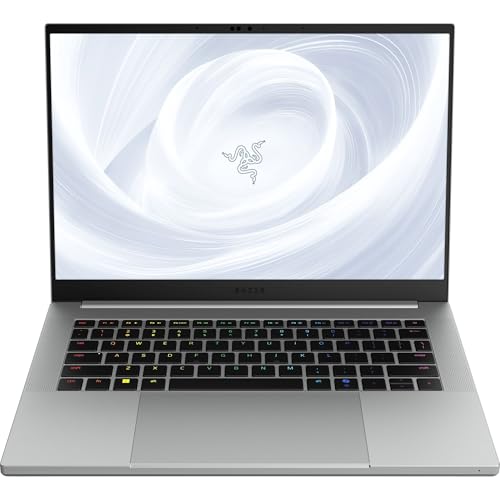
Compact Powerhouse: Razer Blade 14
The Razer Blade 14 is a compelling choice for architecture students seeking a balance between performance and portability. Powered by AMD Ryzen 9 processors and NVIDIA GeForce RTX 4070 graphics, it adeptly manages complex rendering tasks. Its 14-inch QHD display offers sharp visuals, and the laptop’s compact form factor enhances mobility. The build quality is solid, and the keyboard provides a comfortable typing experience. However, the premium pricing may be a consideration for those with budget constraints.
Budget Option: HP Victus 15
The HP Victus 15 serves as a budget-friendly option for architecture students, delivering commendable performance for its price range. Equipped with up to Intel Core i7 processors and NVIDIA GeForce RTX 4050 graphics, it can handle standard architectural software. The 15.6-inch FHD display is adequate for general tasks, though it may lack the color accuracy required for detailed design work. The plastic build is less durable compared to higher-end models, and the battery life is modest, necessitating frequent charging during extended use
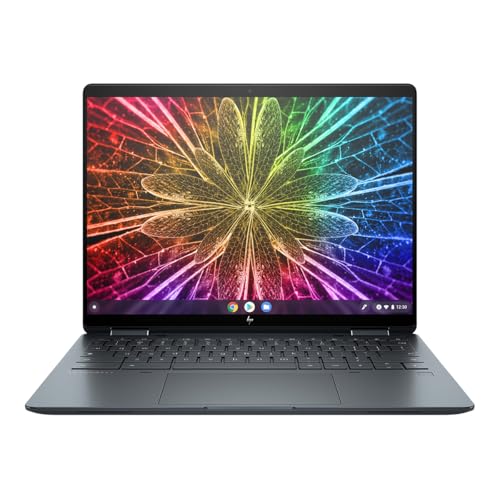
HP Elite Dragonfly Chromebook
Quick review: Not recommended for architecture students. ChromeOS limitations, integrated graphics, and minimal storage make it unsuitable for professional architectural software. Better suited for general academic work.
The HP Elite Dragonfly Chromebook is tailored for users who prioritize note-taking and web-based tasks. Its lightweight design and long battery life make it suitable for lectures and general productivity. However, ChromeOS’s limited compatibility with professional architecture software significantly restricts its utility for architecture students. The 13.5-inch display is vibrant, but the device’s performance is not aligned with the demands of intensive design applications.
Lenovo Yoga Book 9i
Quick review: While innovative, the integrated graphics and dual-screen design aren’t optimal for architecture work. The system specifications cannot handle demanding architectural applications effectively. Consider this only for note-taking and basic tasks.
The Lenovo Yoga Book 9i is an innovative dual-screen laptop that excels in versatility and portability. Its dual 13.3-inch displays support multitasking and creative workflows, and the included stylus is beneficial for sketching and note-taking. However, the device is powered by Intel Core i7 processors with integrated graphics, which may not suffice for complex rendering tasks. The unique form factor, while appealing, may present a learning curve and lacks the raw power required for demanding architectural software.
Summary
The Dell XPS 17 (9730) emerges as the top choice for architecture students, offering a comprehensive suite of features that cater to the rigorous demands of architectural studies. The Apple MacBook Pro 16-inch (2024) follows closely, providing exceptional performance at a premium price. The Razer Blade 14 offers a balanced alternative, while the HP Victus 15 presents a cost-effective solution with certain compromises. The HP Elite Dragonfly Chromebook and Lenovo Yoga Book 9i, though innovative, do not meet the performance requirements essential for architecture students.


Factors to Consider When Choosing a Laptop for Architecture Competitions
When selecting laptops for architecture students participating in competitions, consider laptop review insights to evaluate performance requirements and student needs. Options range from budget laptops to lightweight laptops and even a mobile workstation with a touchscreen display, but not all of the features are needed.
When assessing a laptop for architecture competitions, several key factors must be considered; the architectural design demands exceptional computing power, particularly in competitive environments, and not that much touchscreen, display quality, or sound features.
Processing Power
Professional architectural work requires flagship processors:
- Dell XPS 17 (9730): Intel Core i9-13900H (24 cores, up to 5.4GHz)
- MacBook Pro 16″: M2 Max/M3 Max (12-core CPU, 38-core GPU)
- Razer Blade 14: AMD Ryzen 9 7940HS (8 cores, up to 5.2GHz)
Graphics Requirements
Modern architectural visualization demands:
- NVIDIA RTX 4070/4080 with minimum 8GB VRAM
- Ray-tracing capabilities for photorealistic rendering
- CUDA cores for accelerated rendering in applications like V-Ray
Memory Architecture
Competition-grade configurations require:
- 64GB DDR5 RAM minimum
- 96GB-128GB for complex parametric modeling
- PCIe Gen 4 NVMe SSDs (2TB minimum)
Display Technology
Professional Visualization
- 4K resolution (3840 x 2400) minimum
- 100% Adobe RGB color gamut
- HDR support for accurate material visualization
- Anti-glare coating for extended work sessions
Competition-Specific Considerations
Performance Optimization
- Thermal design power (TDP) of 45W or higher
- Advanced cooling systems for sustained performance
- Thunderbolt 4/USB 4 for external GPU support
Reliability Features
- MIL-STD-810H certification
- Carbon fiber or aluminum unibody construction
- Enterprise-grade reliability testing
Software Compatibility
Primary software requirements:
- Autodesk Suite (Revit, AutoCAD)
- Rhino with Grasshopper
- 3ds Max/Maya
- V-Ray/Corona rendering engines
Budget options like the HP Victus or lightweight solutions such as the Dragonfly should be explicitly avoided for competition scenarios. The focus must remain on professional-grade mobile workstations that can handle intensive computational tasks without compromise.
Processing Power and Speed
Processing power and speed are essential for a laptop’s ability to manage demanding architecture software and multitasking, making processors like the Intel Core i7 or i9 and AMD Ryzen ideal choices for architecture students. The M2 or M4 Pro and M4 Max also provide ultimate performance for creative tasks but come at a extra premium price.
When engaging in tasks such as 3D modeling, rendering, and data-heavy simulations, a robust processor becomes crucial. The architecture field often relies on software like AutoCAD, Revit, and 3D Max, which can overwhelm lower-end systems.
Intel Core i7 processors are renowned for their hyper-threading capabilities, allowing for the seamless execution of multiple processes simultaneously. Meanwhile, AMD Ryzen processors offer impressive multi-core performance, making them an excellent choice for users who perform intensive computational tasks. The 13th Gen Intel processors also provide superior laptop specifications for high-end processing needs.
By investing in laptops equipped with these processors, both students and professionals can expect improved efficiency and reduced processing times, enabling them to focus on creativity rather than technical limitations.
Ultimately, selecting the right processor is a critical decision that directly impacts workflow efficiency and overall productivity in architectural projects.
Graphics and Display Quality
High-quality graphics or anything above GTX 4060 is welcomed for its performance. The display resolution is essential for architecture students, as larger screens will allow for more viewport configurations while creating detailed visual representations. These components not only enhance the aesthetics of architectural models but also provide a more immersive experience for both designers and their clients.
Students can leverage advanced graphics capabilities to manipulate complex textures, lighting, and shadows, which are crucial for accurately showcasing their vision. High-resolution displays like Apple’s Liquid Retina screens facilitate crisp and clear imagery, allowing viewers to appreciate intricate details that might otherwise go unnoticed.
Enhanced user experience is achieved through immersion in virtual spaces created by superior graphics, aiding in the understanding of spatial relationships. The quality of output significantly impacts client presentations and approvals, as detailed visual representations can lead to more effective communication. Devices like the Dell XPS 17 are renowned for their display quality.
Additionally, impressive graphic technology supports realistic simulations that effectively mimic real-world conditions. The influence of quality graphics on architectural design goes beyond aesthetics, reflecting a profound impact on how ideas are conveyed and comprehended in this competitive field. Brands like Apple, HP, Lenovo, Dell, Razer, Microsoft, and ASUS offer models that incorporate these advanced graphics technologies.
Want to get 3D rendering for your architecture contest project?
RAM and Storage Capacity
Adequate RAM and SSD storage capacity are crucial for optimal laptop performance, particularly when running resource-intensive architectural software. Architecture students should aim for a minimum of 16GB of RAM and SSD storage to achieve quicker loading times.
In today’s fast-paced design environment, having the right specifications enables architects and students to efficiently manage large 3D models and complex rendering tasks without experiencing lag or slowdowns. Investing in additional RAM not only enhances multitasking capabilities but also significantly improves workflow when using various applications simultaneously. This is especially important, as architectural professionals often use programs such as AutoCAD, SketchUp, Revit, and rendering software concurrently.
For optimal performance, consider the following recommendations:
- Upgrade to 32GB of RAM if your budget allows, especially for detailed projects;
- Choose at least a 512GB SSD to ensure adequate space for large project files;
- Incorporate external storage solutions for backups and archiving.
By following these guidelines, users can enjoy a smoother and more productive experience with architecture software and other creative tools.
Portability and Durability
Portability and durability are essential considerations for architecture students who often work in diverse environments. Lightweight laptops, such as the Lenovo ThinkPad, are designed for durability and can significantly enhance productivity and ease of use.
Given their rigorous schedules that frequently take them from classroom lectures to design studios and construction sites, having a reliable laptop is crucial. Students need to sketch designs, run complex software, and present projects while on the go.
Therefore, a laptop that is both portable and durable allows them to transition seamlessly between tasks without the worry of damage or added weight. Portability facilitates easier transport during field studies, while durability ensures that the device can withstand the challenges of student life.
Choosing a device that meets these criteria not only optimizes workflow but also greatly impacts the overall learning experience. Consequently, students should prioritize laptops that strike a balance between lightweight design and robust construction, ultimately leading to greater satisfaction and enhanced performance in their academic pursuits.
Battery Life and Cooling System
Robust battery life and an efficient cooling system are essential for architecture students, as these features enable them to work for extended periods without interruption. A strong battery ensures that laptops maintain operational capacity under heavy workloads, while a reliable cooling system prevents overheating. Models like the ZBook Studio excel in these features.
Without these two key attributes, students may encounter issues such as slow performance, unexpected shutdowns, and devices that overheat—problems that often arise when using resource-intensive applications like CAD software or 3D modeling tools. Such challenges can adversely affect not only the timely completion of assignments but also the creative and innovative processes that are central to design projects.
Long battery life allows students to study outside their dorms, whether in libraries, parks, or coffee shops. Additionally, an effective cooling system prevents thermal throttling, which can significantly impair laptop performance.
Together, these features ensure that presentations and projects are executed smoothly, especially during critical deadlines.
What Laptops to Avoid for Architecture?
When selecting a laptop for architecture, it is crucial to avoid models that do not meet the necessary performance requirements for architectural work and competitions.
Certain gaming laptops, while equipped with powerful graphics cards, often fall short in essential laptop specifications needed for demanding architectural tasks, making them unsuitable for this field.
Chromebook based systems
The Chromebook for architecture is a laptop that architecture students should avoid due to its inability to meet the performance specifications required for efficient operation of architecture software. When evaluating the necessary tools for design and modeling work in demanding courses like architecture, this laptop falls short in several critical areas.
- Low Performance: It is equipped with a weak processor, resulting in slow render times and difficulties when switching between resource-intensive applications such as AutoCAD and Revit.
- No Graphics Card: The lack of a dedicated graphics card hinders its ability to quickly render complex 3D models, leading to noticeable lag.
- Low RAM: With insufficient RAM, this laptop cannot meet the performance requirements of modern software, which often necessitates at least 16GB.
These shortcomings contribute to an overall ineffective experience in managing the rigorous demands faced by architecture students on a daily basis.
Outdated CPU and Low Ram
Another type of laptop configuration to avoid is the one similar to the HP Victus due to its inadequate graphics performance and processing power, which are essential for handling demanding architectural workloads. This limitation becomes apparent when architecture students attempt to run software such as AutoCAD, ZWCad or Revit, as these applications require strong graphics rendering capabilities to function effectively. Generally, the absence of an NVIDIA GeForce GPU can further impede 3D modeling software performance.
The laptop’s limited RAM can result in slow performance during multitasking, which is common for students who need to switch frequently between various projects and meet tight deadlines. With a subpar CPU, users are likely to experience long rendering times, negatively impacting productivity.
Additionally, the lack of sufficient SSD storage makes it challenging to work with large files, which can hinder project organization. A low-resolution display further complicates the ability to perform the detailed work necessary for architectural presentations, especially for those using 3D Max.
For students aspiring to become architects, this laptop falls significantly short of the basic requirements needed for a successful academic experience.
2-in-1 configurations
The Lenovo Yoga is a laptop that architecture students should avoid due to its inadequate specifications, which significantly impact the effective use of architecture software. This model has several shortcomings in areas that are crucial for architecture students. The most prominent deficiencies are in processing power and graphics capabilities. Architecture students often work with demanding software such as AutoCAD and Revit, and a laptop lacking sufficient CPU power, like the 13th Gen Intel, can lead to frustrating lag times and inefficient workflows. Additionally, limited RAM can result in crashes during critical creative tasks.
Here are some specific limitations of this model that may adversely affect architecture students:
- Graphics: This laptop struggles with high-resolution rendering.
- Memory: The limited RAM may hinder multitasking performance.
- Battery: With a short battery life, this laptop may require frequent charging, disrupting long work sessions.
These limitations can significantly decrease a student’s overall productivity and learning experience.
Top 3D Laptops in 2024 for 3D rendering
The best laptops for 3D design, animation, and architecture software combine high-performance processors, powerful graphics cards, ample RAM, and fast storage to handle demanding applications smoothly.
Top choices include models like the ASUS ROG Zephyrus Duo 16: Ideal for professionals, featuring an AMD Ryzen 9 7945HX, NVIDIA RTX 4090 GPU, and up to 64GB of RAM. The dual-screen design and robust cooling make it perfect for rendering, animation, and multitasking.
MSI Katana 15: A budget-friendly option for students and mid-level professionals, equipped with an Intel Core i9-13900H, NVIDIA RTX 4070 GPU, and up to 32GB of RAM. Its performance supports smooth workflows in 3D modeling and rendering software.
Acer Predator Triton 17 X: Designed for GPU-heavy tasks, this laptop includes an Intel Core i9-13900HX, NVIDIA RTX 4090, and 64GB RAM, making it a powerhouse for real-time rendering in applications like Lumion and Twinmotion.
The best laptop depends on your specific software requirements, workflow, and budget, so it’s important to consider these factors when making your selection.
Frequently Asked Questions
1. What makes a laptop the best choice for architecture competitions?
A laptop that is best suited for architecture competitions should have a powerful processor, high-quality graphics card, ample storage space, and a good display. These features are essential for running 3D software and BIM, which are commonly used in architecture competitions.
2. What are some recommended brands for the best student laptops for architecture competitions?
Some popular brands that offer laptops specifically designed for architecture students include Dell, HP, Lenovo, and Microsoft. These brands have a reputation for producing high-quality laptops that can handle demanding design software.
3. Is it necessary to have a high-budget laptop for architecture competitions?
While a higher budget does give you access to more powerful and advanced laptops, there are also budget-friendly options available that can meet the requirements of architecture competitions. It ultimately depends on your specific needs and preferences.
4. Can a regular laptop be used for architecture competitions?
It is not recommended to use a regular laptop for architecture competitions as they may not have the necessary specifications and capabilities to run design software efficiently. Investing in a laptop specifically designed for architecture students would be a better choice.
5. Are there any software requirements for architecture competitions?
Yes, architecture competitions typically require the use of 3D software and BIM (Building Information Modeling) software. These programs are used for designing, modeling, and presenting architectural projects. Therefore, a laptop should be able to support these programs.
6. Can a custom-built laptop be a good choice for architecture competitions?
It is possible to get a custom-built laptop specifically designed for architecture competitions. However, it is essential to research and ensure that the laptop has all the necessary specifications and capabilities to meet the demands of design software. It is always recommended to consult with a professional before investing in a custom-built laptop.